
85% of knowledge workers face frequent interruptions, slashing their focus time. This issue causes lost time and stress for teams.
This article is your guide to building the Best Environment for Deep Focus and Work. It offers productivity tips and workspace design advice. These help remote workers, office staff, students, and managers in the U.S. achieve longer, uninterrupted work periods.
You’ll explore advice from Cal Newport’s deep work concepts, ergonomics from OSHA and the Mayo Clinic, and design insights from companies like Herman Miller and Steelcase. This article provides a step-by-step guide to crafting a workspace that boosts focus, improves posture, and enhances work-life balance.
Get ready for brief, practical tips on lighting, noise reduction, ergonomics, tech tools, psychological methods, personalization, color, and minimalism. We’ll also cover nature, taking breaks, and setting up a productive remote workspace. Goals include reducing interruptions, achieving longer focus periods, less discomfort, and clear work-home life boundaries.
Understanding the Concept of a Focus Work Environment
A focus work environment mixes layout and rules. This mix helps everyone work better with fewer stops. It includes good lighting, less noise, comfy chairs, and the right tech settings. This way, you don’t lose focus on your tasks. Also, having set times for meetings and rules on when it’s ok to interrupt helps everyone value quiet work time.
This idea is based on findings about attention and how our brain handles tasks. Studies have found that switching tasks too much can lead to more mistakes and less work done each hour. So, making spaces that cut down on distractions helps teams keep their mental energy. This lets them use good focus methods during work times.
Workplaces are set up with spots for alone work and areas for group work. Quiet spaces like cubicles and private offices are for long, solo work. Meeting rooms and brainstorming areas are for quick, creative group work without messing up deep focus in other areas. Having these separate spots makes things run smoother at work.
Key parts of a focus work environment include:
- Layout that keeps quiet zones and team spots apart.
- Lighting that’s easy on the eyes and keeps you alert.
- Sound setups that cut down on unwanted noise.
- Comfy furniture that eases body stress.
- Good digital habits, like controlling notifications and using task apps.
- Rules on when it’s alright to interrupt and when to leave others alone.
Being in a focused place helps in many ways. Longer times without interruptions make people more productive, leading to more work done each hour. It also means fewer mistakes and better problem-solving. Having a schedule helps with organizing work and doing tasks in groups.
When people aren’t overwhelmed with too much at once, their mental health gets better. Clear lines between work and home life lower stress. This helps people relax after work. Companies also see happier workers, fewer pointless meetings, and better teamwork when they have a focus work environment.
| Element | Individual-Focused Space | Collaborative Space |
|---|---|---|
| Primary Goal | Support deep, uninterrupted concentration | Enable fast exchange of ideas and decisions |
| Typical Features | Acoustic panels, task lighting, ergonomic chair | Whiteboards, flexible seating, AV for group work |
| Digital Controls | Muted notifications, focused apps, scheduled syncs | Real-time collaboration tools and shared screens |
| Best Use | Deep coding, writing, analysis | Brainstorming, sprint planning, alignment meetings |
| Impact on Workplace Efficiency | Increases output per hour and lowers error rates | Speeds decision making and reduces meeting sprawl |
| Recommended Practices | Block schedules, concentration techniques, clear boundaries | Time-boxed sessions, defined goals, follow-up notes |
Key Elements of a Productive Workspace
Creating an effective work space starts with a good plan. This plan considers comfort, light, and noise. A well-thought-out setup helps with focused work for longer periods and keeps you healthy. Making small, smart changes to your office setup can make work more efficient and help maintain focus.
Ergonomics and Comfort
Ergonomics focus on keeping your body comfortable. Your computer screen should be level with or just below your eyes. Your arms should bend at about 90 degrees when typing, and your feet should stay flat on the ground or on a footrest. A good chair back support helps prevent lower back pain.
Adjustable chairs like the Herman Miller Aeron and Steelcase Leap are great for sitting comfortably for hours. Using sit-stand desks allows changing between sitting and standing to avoid stiffness. Adding an external keyboard, placing the mouse correctly, and using document holders also help lower the risk of strain for people working on laptops.
Following OSHA and Mayo Clinic advice for arranging your workstation can prevent muscle problems. Using simple tools like screen risers and mats to stand on can make a big difference in comfort. These steps make sure your office setup is both effective and can be used for a long time.
Optimal Lighting Conditions
Daylight helps keep your body’s clock running right and keeps you alert. Place desks near windows to get as much natural light as possible. Research shows natural light can improve mood, increase productivity, and lead to better sleep.
If you need artificial light, cool white LEDs between 4000K and 5000K are good for workspaces. Adjustable desk lamps can reduce glare and let you adjust light levels for detailed tasks. Lights that you can dim help set the right mood for different work and lessen eye strain.
Too much glare or the wrong screen brightness can wreck your focus. Using screens that reduce glare and matching your monitor’s brightness to the room helps avoid eye problems. Good lighting is key to a well-designed workspace and keeps you working efficiently.
Noise Control Strategies
Keeping the right sound level is important for focus. You can use partitions and panels to reduce echoes. White-noise machines and quiet areas offer a library-like quiet for concentration.
Having set quiet times can also help. Teams can agree on periods when interruptions are not allowed, use signs to show when they’re busy, and book rooms for group work. Setting clear rules about interruptions ensures everyone can focus.
Technology offers more solutions. Noise-canceling headphones and apps like Krisp keep calls clear by blocking background noise. Playing focus music or white noise can also help many people stay on track. These actions enhance work efficiency and help create the ideal working environment.
| Element | Practical Steps | Benefit |
|---|---|---|
| Eronomics | Adjust chair height, use lumbar support, alternate with sit-stand desk, add external keyboard | Reduces musculoskeletal strain, boosts sustained concentration |
| Lighting | Maximize daylight, use 4000K–5000K LEDs, add adjustable desk lamps, use anti-glare filters | Improves alertness, reduces eye fatigue, enhances mood |
| Noise Control | Install acoustic panels, set quiet hours, provide white-noise options, recommend noise-canceling headphones | Minimizes interruptions, increases deep work time, raises workplace efficiency |
| Small Aids | Monitor risers, document holders, anti-fatigue mats, footrests | Cost-effective comfort boosts, supports ergonomic office setup |
| Policies & Training | Quiet zones, do-not-disturb protocols, workstation setup training per OSHA and Mayo Clinic advice | Creates consistent focus work environment, lowers injury risk |
The Role of Technology in Enhancing Focus
Technology can make us more focused if we use it right. Mixing apps, gadgets, and routines creates a work space that boosts deep focus. It lets us work longer without getting sidetracked.
Tools for time management
Digital tools help plan our day. Pomodoro timers, like Focus Booster and TomatoTimer, split work into set times. Task managers such as Todoist, Asana, and Trello keep what’s important in front of us. Using Google Calendar for scheduling turns our goals into real plans.
Blocking time and grouping tasks make switching tasks less often. A good routine mixes 90 minutes of focused work with 15-minute breaks. Or, try three 60-minute work periods with breaks for walking. Linking tasks with calendar times makes one reliable guide. Use fewer notifications to stay on track.
Automation tools make things easier. Zapier and IFTTT handle repeat tasks so we don’t have to. Apps like RescueTime and Clockify show where time goes, pointing out time-wasters. Teams can use this info to get better at managing time.
Noise-canceling headphones
ANC tech lessens background noise using mics. Passive isolation blocks noise with its design. ANC is great for offices with constant low noise. For sudden loud noises, passive headphones are better.
Some headphones fit every budget. The Sony WH-1000XM5 and Bose 700 offer top ANC. Apple AirPods Max are great for Apple fans. For a budget choice, try Anker Soundcore Life Q35. These options don’t break the bank but still perform well.
Headphones signal that you’re busy and cut down interruptions. Remember to be mindful of others. Use modes that let you hear around when needed. In shared places, taking one ear out or lowering the sound keeps things polite.
Pairing time management with the right headphones can boost how much we get done. Try grouping tasks, limiting notifications, and checking your progress weekly. These steps help turn tech into a helpful tool for focused work.
The Psychological Aspect of Focus
Mental clarity brings a clean mind, key priorities, and an organized brain space for lasting focus. Good sleep, right food, managing stress, and daily plans help reach this state. Cognitive psychology says our working memory can only handle so much. Using lists and notes helps free up brain space for tough tasks.
Importance of Mental Clarity
With clear minds, people can easily focus and use concentration techniques. Planning in the morning and reviewing at day’s end keeps important tasks in sight. This prevents too many tasks and saves energy for decisions all day.
Studies show putting reminders on a list cuts forgetting and unwanted thoughts. Good sleep and proper food boost memory and quick thinking. When teams agree on when to reply to each other, stress lowers and everyone gets more done.
Techniques for Reducing Distractions
Behavior tricks can quickly increase focus. Stop unnecessary alerts, use airplane mode for deep work times, and check emails only at set times to avoid constant distractions. Doing one thing at a time and plans like, “Ignore alerts until my break,” help stay on track when interrupted.
Cleaning your workspace and only keeping what you need for the job helps focus. Signs like a shut laptop or a simple note tell others you’re busy, cutting down on interruptions.
Short moments of mindfulness or grounding exercises can bring back focus after distractions. Mix these with clear work rules—like meeting times and working together without meetings—to shield deep work time.
Personalization of Workspaces
People have different needs for their work areas. Introverts, extroverts, morning people, night people, and those sensitive to their surroundings all prefer different things. Having a workspace that meets these diverse needs helps with comfort and focus.
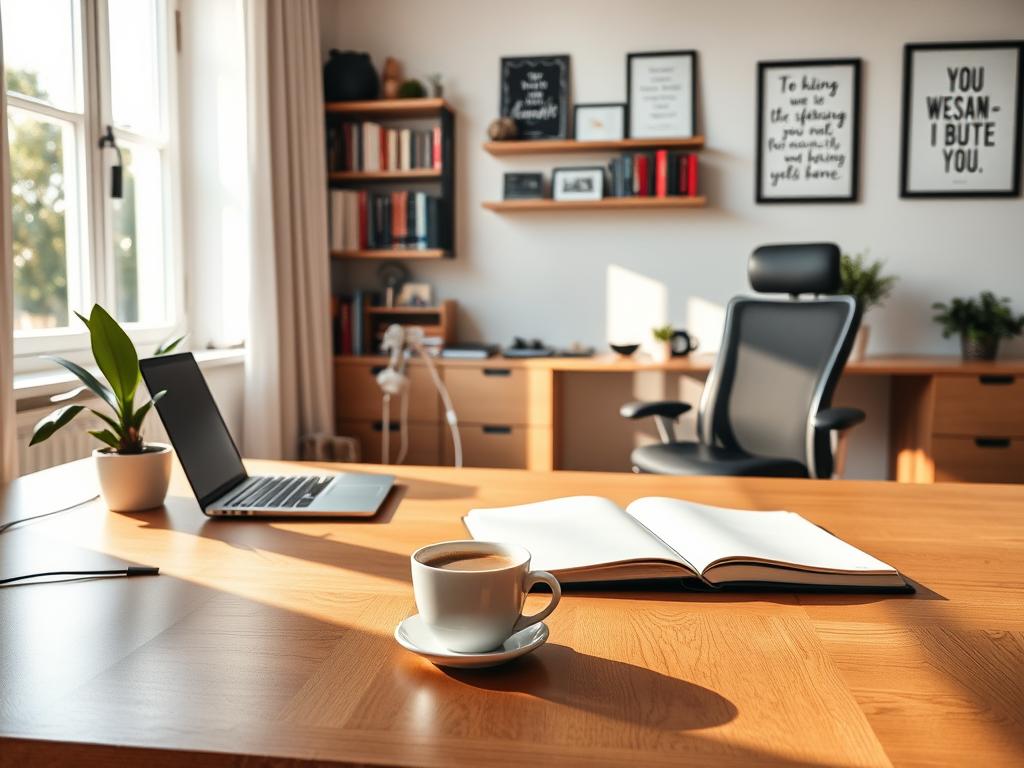
Figuring out what works best comes first. Workers should check their noise level comfort, light preferences, how they sit, and the temperature they like. Trying different things for a week shows what helps them concentrate best. This info can help make a workspace that’s good for many types of people.
Having choices makes things smoother. Options like adjustable lights, moveable walls, different kinds of seats, and quiet areas meet various needs. These choices help people work better by letting them pick what helps them the most.
Studies show that when people can choose how their work area looks, they are more involved and do better work. Being able to set up your space makes you focus longer and do a better job. So, having a great workspace setup is key for good results, not just a nice extra.
Decorations should be meaningful but not too much. A small plant, a picture of your family, a motivational quote, or a lightly used essential-oil diffuser keep you focused without too much clutter. Air-cleaning plants suggested by NASA, like spider plants or pothos, are healthy without overwhelming your desk.
Making your desk your own improves your day. Having your favorite desk items, a mug you love, or the keyboard setup you prefer makes things run smoother. These things help make a workspace where you can stay focused, work hard, and get less distracted by small things.
Rules are key in shared areas. Stick to things that can be moved and fit the overall design. Setting clear limits on personal things keeps the workspace tidy and helps everyone work well together.
| Preference | Flexible Option | Benefit |
|---|---|---|
| Low noise tolerance | Quiet rooms or noise-masking machines | Improves concentration and reduces errors |
| Variable lighting needs | Adjustable task lamps and dimmable overheads | Reduces eye strain and supports alertness |
| Posture comfort | Ergonomic chairs and sit-stand desks | Enhances comfort and long-term health |
| Sensory sensitivity | Movable partitions and soft furnishings | Creates calm zones without isolation |
| Need for personalization | Removable decor and personalized organizers | Maintains identity while preserving shared design |
How Colors Influence Concentration
The colors in a room change how we feel and work. Designers and scientists look into colors’ effects on focus. They help pick the best colors for workspaces to keep us alert and improve our work.
The Psychology of Color in Workspaces
Colors affect our memories, feelings, and body. Blue can make us more calm and help us think better. Green reduces stress on our eyes and boosts creativity. Red makes us more alert but can also make some people anxious.
The effect of a color can change based on the situation. Blue walls can help with tasks like spreadsheets but might not be great for brainstorming. Our background and what we like also play a role in how we react to colors. Matching colors to the work we’re doing can make us do better.
Best Colors for Fostering Focus
Cool colors like light blue and soft green help keep focus during desk work. Neutrals, such as light gray, make a good backdrop. They let our computers and papers stand out. Use red carefully to highlight important areas without it being too much.
The finish on walls and desks is important too. Matte finishes reduce glare. Adding plants and using natural materials can decrease eye strain. In large offices, use colors to show different areas. For example, quiet zones in blues and greens, places for team work in warmer colors, and restful spots in neutral tones.
This is a guide to choosing colors and finishes for a great workspace.
| Color | Recommended Use | Typical Effect | Finish |
|---|---|---|---|
| Pale Blue | Individual desks, analytical tasks | Calms, supports sustained focus | Matte or eggshell |
| Soft Green | Creative zones, areas with plants | Reduces eye strain, eases creativity | Matte |
| Light Gray / Off-White | Background walls, corridors | Minimizes distraction, neutral backdrop | Low-sheen |
| Muted Red (Accent) | Call-to-action walls, deadline boards | Increases alertness, highlights priorities | Matte or low-sheen |
| Warm Natural Wood Tones | Desks, shelving | Adds comfort, balances cool palettes | Low-sheen lacquer |
Creating a Zen-like Atmosphere
A calm space makes it easier for people to focus deeply. By mixing natural elements and simple design, an office can boost concentration and well-being.
Incorporating Nature
Biophilic design connects with our love for nature. It uses plants, sunlight, wood, and green views. This helps people feel refreshed and lowers stress.
Choose easy-care plants like snake plant or ZZ plant for darker offices. If real plants can’t work, use natural items or nature pictures for a similar effect.
Adding things like small water features, natural textiles, and green walls helps calm people. These choices make workplaces better by boosting mood and cutting down on stress.
Use of Minimalism
Minimalism is about having only what’s needed, keeping clean surfaces, and using smart storage. It lowers distraction, eases decision-making, and helps start tasks in an ideal office.
Keeping a space decluttered is easy with short weekly clean-ups. Using digital organizing rules and a one-item policy keeps things simple.
Use drawers and cable systems to keep your desk area tidy. Labeling zones for tools also helps keep focus in a clean workspace.
The Importance of Breaks in a Focused Environment
A good work setting needs smart breaks as much as it needs good desks and lights. Short breaks help fight off mental tiredness, make sitting less painful, and keep us going all day. Teams that take regular breaks work better and have a nicer work-life balance.
Scheduling regular breaks can be based on science. The Pomodoro method uses a 25/5 split for everyday tasks. For bigger tasks, the Ultradian rhythm suggests working 90 minutes then resting for 15. Taking short breaks every 20–30 minutes can also lessen eye strain and help us refocus.
How often you break should depend on how tough the task is and your own energy levels. Blocking out time for breaks keeps meetings from taking over your rest time. Companies can make taking breaks normal by having walking meetings, stretching together, and taking group breaks.
Taking breaks is good for us in many ways. They help us think better, feel less tense, and keep doing well on big projects. They lower mistakes and make managing our time easier every day.
Activities to refresh the mind should be easy and help our brains take a break. Going for short walks, doing simple stretches, staying hydrated, and breathing exercises can clear our minds without needing much focus.
Doing something creative or reading briefly can give your brain a nice change. Looking at nature or doing short meditation can make us feel better fast. The right break time depends on the job: short breaks after easy tasks and longer breaks after hard ones.
What you do during breaks is key. Spending too much time on social media or watching videos can mess up your break. Employers can help by offering outdoor spots, quiet places to nap, and places to relax. This helps keep our focus sharp.
When these ideas are part of how we manage our time, everyone stays focused, healthy, and balances work and life better.
Strategies for Remote Work Focus
Remote teams need clear ways to stay productive and stress-free. This guide shares steps to stay focused at home. It also how to keep a good work-life balance.
Designing a Home Office
Pick a specific spot for work, even if space is tight. Use a corner desk or room divider. These help your brain know it’s time to work.
Make your space comfy for work. Get a good chair and a desk setup that won’t hurt your back. Brighten up your space and keep it quiet with rugs or curtains.
Ensure your tech is up to the task. A good internet, clear audio, and reliable power are key. Protect your work with VPNs and strong passwords.
Help your family know when you’re busy. A closed door or a sign can show you need to focus. Set quiet times to work without interruptions.
Maintaining Work-Life Balance
Set clear work hours and stick to them. Use device settings to keep work alerts off in your free time.
Start and end your day with a routine. Maybe take a walk or enjoy a coffee. This helps you switch off from work mode.
Work when you feel most energized and keep meetings grouped. Use updates that don’t need immediate replies to keep focus for longer.
Take care of your mind. Regular breaks with teammates, planning time off, and having access to counseling help you stay strong.
| Area | Practical Step | Expected Benefit |
|---|---|---|
| Space | Use a dedicated corner or room divider | Clear spatial boundary for focus work environment |
| Ergonomics | Adjustable chair, monitor, keyboard | Reduced strain, longer productive periods |
| Sound | Rugs, curtains, noise-cancelling headphones | Lower distractions, better focus |
| Technology | Reliable broadband, VPN, backup power | Fewer interruptions and improved data safety |
| Routines | Commute rituals, startup and shutdown checklists | Clear transition between work and personal life |
| Time Management | Batch meetings, deep-work blocks, asynchronous updates | Higher output and fewer fragmented tasks |
| Household | Set quiet hours and visual cues | Smoother coordination with family |
| Mental Health | Virtual social time, vacation planning, therapy access | Better long-term wellbeing and sustained productivity tips |
Case Studies: Successful Focus Work Environments
Many well-known companies showcase how design and rules create focus-friendly offices. Google offers different areas – silent rooms, team places, and spots to relax. This lets employees pick the best place for their task. Microsoft combines flexible work options with silent areas and soundproofing to help deep-focus work. Basecamp promotes working from home, fewer meetings, and async work to guard deep focus times.
Dyson and IDEO, design-driven firms, have special labs and spaces to keep loud tasks away from quiet areas. These businesses find a balance between team work and solo focus by using smart zoning, planning, and company culture. This way, their teams can easily switch from group brainstorming to individual work without problems.
These stories teach us valuable tips for better productivity. They suggest having different types of rooms for work and small meetings, clear rules for meetings and interruptions, and letting workers choose where they work best. Leaders should set examples by having dedicated times for deep work and reducing messages outside work hours. Trying out new ideas like silent hours or shared desks and seeing how they impact happiness at work, focus time, and the quality of work is essential.
Companies should improve by listening to their employees, changing lighting and sound setups, and expanding what’s effective while keeping everyone’s needs in mind. Begin with something small like one ergonomic improvement, a set time each day for focused work, or one way to reduce noise. Then, enhance work efficiency gradually over time.