

Nearly 68% of knowledge workers now use AI to help with their tasks. This huge change affects the way people choose productivity apps.
This guide shows the top productivity apps of 2026. It helps professionals, students, and phone users find the right tools for their work. It compares these apps to those from 2021, highlighting improvements: better integration, smarter AI, mobile and desktop equality, and improved privacy.
We base our recommendations on updates, reviews, and future plans. These come from TechCrunch, The Verge, Wired and companies like Notion and Google Drive.
The guide describes different apps and approaches, listing their benefits and who they’re best for. It covers availability across devices, pricing, and tips for starting to use them. It offers choices for tasks like managing work, teaming up, tracking time, making notes, automating tasks, planning, and looking after wellness.
Use this guide to pick the best productivity apps. See why the top ones now use AI. And find out which apps will help you over the long run, not just today.
Overview of Productivity Apps
Productivity apps are tools that help with planning, tracking, creating, collaborating, and automating tasks. You might have heard of Todoist and ClickUp for organizing tasks, or Trello for project boards. Evernote and Microsoft OneNote are great for taking notes. For team work, there’s Slack and Microsoft Teams. If you need to track time, RescueTime is an option. For saving files online, Google Drive is handy. To automate tasks, you can use Zapier or IFTTT. And to stay focused, try Focus@Will.
These apps have key features like syncing across devices, connecting with other apps, working without the internet, and finding stuff easily. They offer templates, sync with calendars, send reminders, let you work with others, and show reports. By 2026, many will even suggest things to do using AI.
When picking an app, think about where you’ll use it. Some apps work just as well on Android as they do on iPhone. Others might be better on one platform because of certain features. Making sure the app works offline and doesn’t drain your battery is important for those always on their phone.
More people want productivity apps because of changes in how we work and learn. Many work from home or study online now. This means they need apps that help manage work without constant meetings and that make it easier to talk to team members anytime.
There’s a growing need for apps that don’t cost much or are free, especially for small teams and students. Companies want apps that keep their data safe, work with what they already use, and are a good investment. The best apps are easy to use but also have lots of features for bigger projects.
- Task management: Todoist, ClickUp
- Project boards: Trello
- Note-taking: Evernote, Microsoft OneNote
- Collaboration: Slack, Microsoft Teams
- Time tracking: RescueTime
- File access: Google Drive
- Automation: Zapier, IFTTT
- Focus aids: Focus@Will
Choosing the right productivity app means thinking about your workflow. Teams that need to work together a lot might want apps with shared spaces and reports. Students might just need a simple to-do list and the ability to work offline. It’s also smart to see if an app works well on all your devices and connects with your calendar and email.
Top Productivity Apps for Professionals
Professionals who want better workflows often use a few trusted tools. We’ll look at apps that mix features, collaboration, and ease of use well. Each app we mention is a great choice for different working styles and ranks high among productivity tools for teams today.
Notion merges notes, databases, kanban boards, calendars, and documents in one place. By 2026, it will get smarter AI templates and writing aids, better database connections, offline use improvements, and stronger security for companies.
Notion is perfect for workers, product teams, creators, and managers needing organized docs and simple project tracking. It works on web, macOS, Windows, iOS, and Android. The free version is quite good; paid versions include more control and permissions. To get going fast with Notion, try using templates and linked databases to avoid duplicate work.
Trello uses kanban boards and cards to show tasks and workflows. It’s part of Atlassian and gets better with Power-Ups for AI summaries, automated tasks through Butler, and connects closely with Jira and Confluence for technical teams.
It’s well-suited for marketing, design, small dev teams, and those who like visual organization. It’s available on web, desktop, iOS, and Android. The free version gives basic boards; paid versions offer more automation and connections. Sprint and editorial calendars, along with automation, help teams avoid manual task management.
Todoist excels in quick task entry, understanding natural language, and managing repeating tasks daily. By 2026, Todoist will introduce smarter AI for prioritizing, better time predictions, more detailed project templates, and closer calendar and voice assistant links.
It’s good for anyone needing a reliable checklist, including students and professionals. Available on web, Windows, macOS, iOS, and Android, its free version is solid; paid subscriptions add more features. Use labels, filters, and priorities for easier task management. You can link Todoist with calendars and widgets for quick updates.
These apps are at the top for boosting productivity, whether for one person or a whole team. For those always on their phone, these apps also have great iPhone versions. They ensure your work is synced and accessible wherever you are.
Best Apps for Team Collaboration
Team collaboration tools help groups talk, share files, and manage projects better. The right platform boosts work for both remote and on-site teams. Here, we look at two top tools that meet different needs and work with many other apps.
Slack: Effective Communication Platform
Slack offers instant messaging in channels with a searchable archive. It’s great for quick updates, talks, and simple coordination. In 2026, Slack will bring AI summaries, better workflow tools, and stronger security for strict industries.
It’s available on many devices. A free level is good for small teams. Paid plans offer more control and features for growing startups and tech teams.
Useful tips include organizing channels by team or project, using threads to keep chats clear, and blocking off quiet times. These steps help make the most of both comprehensive and light chat tools.
Microsoft Teams: Integration and Efficiency
Microsoft Teams combines chat, meetings, and file sharing with Microsoft 365. It shines when used with Word, Excel, SharePoint, and OneNote. The 2026 update will bring better AI, telephony, and more apps.
It works on various platforms. Special Microsoft 365 plans offer tools for large groups and schools.
For best use, connect Teams channels to SharePoint for files and add apps for tasks. This method is why Teams is a main choice for Microsoft users.
Slack and Teams are leaders in teamwork apps. For teams using phones a lot, finding apps that work well on android and iOS is key for smooth work.
Time Management Tools to Boost Efficiency
Time management tools make scattered hours into focused work. They work great with calendars, task lists, and more. They help form a strong routine. Students, freelancers, and office teams all get better with clear time data.
RescueTime runs in the background to track where time goes. It checks app and website use. Then, it sorts activities into productive or distracting. In 2026, it will add smarter categories and ways to keep you on track.
RescueTime is perfect for those wanting to improve based on data. It works on many operating systems, including mobile. The free version gives summaries; the paid version offers more insight. Users can set goals, block distractions, and review their week to improve.
Focus@Will provides music to help concentrate and lessen distractions. It’s based on brain science. In 2026, it will offer more personalized playlists. It works well with other apps, keeping music and work in harmony.
People who like learning with music find Focus@Will very useful. It is available on web and mobile. Subscription plans include a trial. It’s best used with Pomodoro techniques or time-blocking.
| Tool | Primary Function | Platforms | Cost Options | Best Use |
|---|---|---|---|---|
| RescueTime | Automatic time tracking and analytics | macOS, Windows, Linux, Android, limited iOS | Free basic plan, Premium subscription | Data-driven users who want to reduce time waste |
| Focus@Will | Concentration music and attention playlists | Web, iOS, Android | Subscription with trial period | Those who use audio to maintain focus during tasks |
| Complementary Tools | Timers, task managers, calendars | Cross-platform | Many free productivity apps available | Combine with time tracking to measure plan vs. reality |
Choosing the right tools depends on your goals. For those on a budget, try free apps and trial subscriptions. RescueTime and Focus@Will are great for studying and test prep. Teams can use them to better plan and have fewer meetings. The best mix turns hours into progress and good habits.
Note-Taking Apps for Enhanced Organization
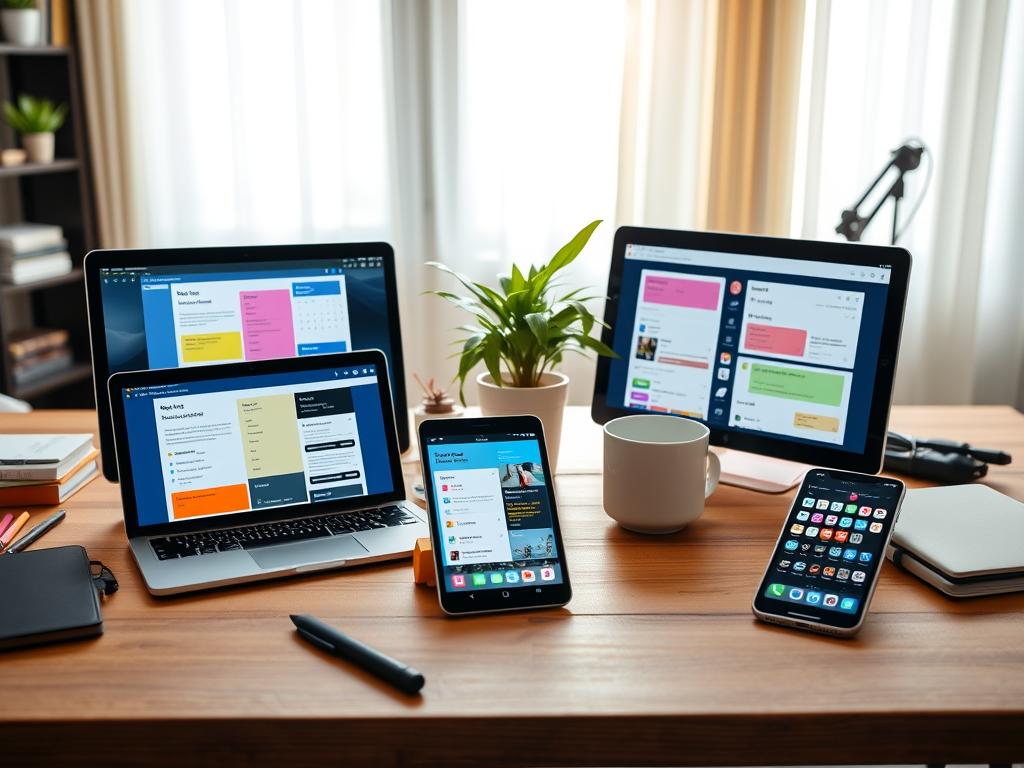
Note-taking apps are vital in today’s work routines. They hold ideas, save research, and connect tasks on different devices. The best app for someone depends on how they collect and share information.
Evernote: Organizing Information
Evernote stands out for saving web pages, PDFs, and making notes easy to find. In 2026, it added better AI to search faster and more accurately.
With notebooks and tags, it’s simple to organize. Web clipping is perfect for those who collect loads of information. Having notes on both iOS and Android means they’re always there when needed.
Evernote’s free version limits how many devices can sync. Its paid plans offer more storage and features. Use meeting notes templates and tags for easy note finding.
Microsoft OneNote: Versatile Note Taking
Microsoft OneNote offers a flexible setup that’s great for school and work. It works well with Microsoft 365 and lets users work together in real-time. It also reads text in images and handwriting better now.
Available on almost every platform, OneNote has a strong free version. Microsoft 365 users get extra benefits. It’s great for everyone.
Try using sections for different topics, connect notes to Outlook tasks, and use its drawing tools. These features make OneNote stand out as a top free or paid app.
| Feature | Evernote | Microsoft OneNote |
|---|---|---|
| Best for | Research, web clipping, heavy note collection | Free-form notes, education, Office integration |
| Platforms | Web, macOS, Windows, iOS, Android | Windows, macOS, Web, iOS, Android |
| AI features (2026) | Advanced AI search, content extraction, smart templates | AI summaries, improved OCR, real-time collaboration |
| Pricing model | Free tier with limited sync; premium plans for more devices and storage | Free robust version; added benefits with Microsoft 365 subscription |
| Mobile strength | Optimized for productivity apps for iPhone and productivity apps for Android | Seamless experience across mobile and desktop; integrates with Office mobile apps |
| Adoption tips | Use notebooks, tags, web clipper, and templates | Use section groups, Outlook integration, and drawing tools |
Mobile Productivity Apps for On-the-Go Users
Mobile devices change how we work outside the office. The best apps offer quick access, work offline, and sync perfectly across different devices. Here, we highlight two popular apps. They help people like commuters, field workers, and students manage their tasks while on the move.
Todoist: Task Manager on Mobile
Todoist makes adding tasks easy with widgets and voice commands. It turns brief notes into detailed tasks with deadlines and importance levels.
The app works with both Android and iPhone. It allows adding tasks without internet. Now, AI also suggests when to finish tasks, helping you make fast decisions.
It’s great for those always on the go. To get started: use widgets for quick task adding, turn on notifications for important tasks, and connect Todoist to your calendar for an overview of your day.
Google Drive: Access Files Anywhere
Google Drive offers cloud storage that’s easy to access on Android and iPhone. You can edit documents and store them offline.
It now suggests files more smartly and searches better on your device. It works well with other apps, making sharing and working together easier.
Drive is perfect for anyone needing to work together and access files anywhere. Start by making offline folders, organizing your files, using shared drives for teamwork, and using two-step verification for extra security.
These apps are among the best for daily tasks. There are free versions for new users to test. Choosing apps that perform well on both Android and iPhone makes sure you can work smoothly anywhere.
Automation Tools to Streamline Workflows
Automation tools take away repetitive tasks, letting teams focus on creative work. They connect modern productivity apps, like email, CRM, forms, and project tools. Both small teams and big companies save time by automating regular tasks.
Zapier makes it easy to connect web apps by starting actions automatically. It uses “Zaps” for this. By 2026, Zapier will add AI to suggest automations, handle multiple steps at once, and offer better connections for big businesses.
Zapier is great for marketers, small businesses, and teams who want to automate without needing to code. It has a free version for simple tasks and paid versions for more complex automations and special apps.
Start with easy triggers like turning a new form submission into a task. Teams should write down their automations and check them to fine-tune and spot mistakes early.
IFTTT links devices and services with easy applets. It’s widely used for making smart homes and personal tasks easier. By 2026, IFTTT will offer more for big businesses and make managing applets on phones better.
IFTTT is good for anyone who wants to sync calendars, send alerts, or set schedules for smart lights. It’s available on the web, iOS, and Android. It’s free for personal use and has paid options for more features.
With IFTTT, you can easily share new content between services, get notices for important things, and integrate physical gadgets into your day. Small teams can use IFTTT alongside business apps to connect everyday tools with their work.
| Tool | Best Use | 2026 Highlights | Cost Model |
|---|---|---|---|
| Zapier | Automating multi-step business processes | AI suggestions, conditional logic, enterprise integrations | Free tier; paid plans for multi-step and premium apps |
| IFTTT | Connecting devices and simple cross-service syncs | Expanded connectors, improved mobile applet management | Free tier; subscription for advanced applets |
| Combined strategy | Hybrid automations across consumer and enterprise tools | Use Zapier for complex flows, IFTTT for device and personal automations | Mix of free productivity apps and paid business productivity apps |
Task Prioritization and Planning Tools
The Eisenhower Matrix is an easy way to sort tasks. It uses four quadrants: urgent/important, not urgent/important, urgent/not important, and not urgent/not important. Many productivity apps have features based on this method. They help you see what’s most important.
People and teams use it to focus on important tasks. By 2026, AI will help make this even smarter. It will predict how long tasks will take and suggest deadlines. Tasks will move as deadlines get close or priorities change.
Here are some tips: review your tasks weekly, pass off urgent but less important tasks, and make time for important tasks that aren’t urgent. Students can do this too, planning their study time and setting reminders. This works great with many productivity apps out there.
ClickUp is a do-it-all platform for teams. It lets you manage tasks, documents, goals, and more in one place. You can track your work, see who’s doing what, and use AI for help with big tasks. ClickUp suggests how to run your projects and keeps everything easy to access, even on mobile.
For those leading projects, ClickUp makes it easy to see how everything connects and to share resources efficiently. It’s available on many devices, with a free option or paid plans for more features. Setting goals helps connect everyday tasks to your big picture plans.
To make ClickUp work best, automate regular tasks, watch your team’s workload to avoid burnout, and use Goals for a broad view of your plans. These steps make ClickUp a top choice for managing complex projects and teamwork.
| Tool | Best Use | AI Features (2026) | Platforms |
|---|---|---|---|
| Eisenhower Matrix (templates in apps) | Quick prioritization for individuals and managers | Automated quadrant moves, deadline nudges | Implemented in Todoist, Notion, ClickUp, Trello |
| ClickUp | Comprehensive planning, resource allocation | Task breakdowns, sprint planning, workload forecasting | Web, macOS, Windows, iOS, Android |
| Todoist (Eisenhower templates) | Task lists with prioritization views | Smart due dates, priority suggestions | Web, iOS, Android, macOS, Windows |
| Notion (matrix pages) | Customizable dashboards and templates | AI-assisted task summaries and templates | Web, iOS, Android, macOS, Windows |
Unique Productivity Trends in 2026
In 2026, the productivity world combines automated tech with a human touch. AI is now a big part of many tools. At the same time, mindful practices are part of everyday work. You’ll get useful examples and tips on mixing efficiency and well-being.
AI Integration in Productivity Apps
AI in apps like Notion and Microsoft Teams makes life easier. It pulls out tasks, summarizes meetings, and recommends deadlines. This cuts down on routine tasks, letting teams tackle more important work.
Businesses choose AI that respects privacy and works on their devices for sensitive stuff. Microsoft and Google stand out for their clear data use policies. They have settings to keep important content safe.
To start, focus on AI that obviously saves time, like making meeting notes. Check its work and tweak it to fit your team’s style and flow.
The Rise of Mindfulness Apps
Mindfulness apps have become more popular as work stress grows. They offer quick breathing exercises, task-focused timers, and calming music. Now, they’re even included in some job benefit packages.
Apps like Focus@Will and Calm work with your schedule for quick breaks. Mixing intense work with short breaks can lead to better focus and fewer mistakes.
Using time data to plan short breaks can make teams more productive. It’s a way to use top apps without wearing out your mind.
| Trend | Examples | Benefit | Adoption Tip |
|---|---|---|---|
| AI task automation | Todoist, ClickUp, Microsoft 365 | Reduces manual planning and speeds execution | Start with meeting summaries and validate results |
| Contextual writing aids | Notion, Microsoft Word copilot | Improves clarity and cuts editing time | Train on company style and enable opt-in features |
| Privacy-first AI | On-device assistants, enterprise controls | Makes sensitive data safer | Choose vendors with transparent policies |
| Mindfulness integration | Focus@Will, Calm, built-in timers | Increases sustained attention and reduces burnout | Pair focused blocks with short breaks and track output |
| Cost-conscious adoption | Free tiers and freemium bundles | Allows teams to trial features before scaling | Compare free productivity apps with paid upgrades |
Conclusions on the Future of Productivity Apps
Productivity tools are changing to suit hybrid work and mobile use. They now offer help from AI, privacy, and the ability to work across different apps. People prefer tools that make thinking easier, allow work at different times, and connect safely with other systems. When picking the best productivity apps, consider how well they work on both iPhone and Android, how they connect with other apps, their AI abilities, how easy they are to start using, their cost compared to their benefit, and how they handle data.
Evolving Needs in a Digital Workplace
Companies should introduce new apps in stages. They should test with small groups, provide training, and use clear goals to measure success. These goals could include having fewer meetings and finishing projects quicker. For work apps, choose those that offer secure ways to automate tasks and show real improvements. Apps for students should be simple, work without the internet, and offer a good mobile experience.
Final Thoughts on Productivity Tools
For individuals, it’s smart to pick a main task app like Todoist or ClickUp. Also, choose a place to keep your information, like Notion or OneNote. Teams should use one main app for working together, such as Slack or Microsoft Teams. They can use Zapier or IFTTT for easier task switches. Tools like RescueTime and Focus@Will can improve concentration and habits.
In the future, apps will get smarter and offer more features, focusing on automation and well-being. The best apps will combine smart automation, design that focuses on users, and strong privacy measures. Try using the free versions of recommended tools for 30 to 90 days. Check the difference they make and adjust how you work instead of switching apps often. This way, you’ll find the best productivity tools for your needs.