

78% of U.S. knowledge workers feel overwhelmed weekly. Yet, they work more instead of changing their approach. This shows the importance of working smarter, not harder.
This guide is about focusing on results, not just hours worked. It’s for professionals, managers, freelancers, and entrepreneurs. They can learn productivity tips and efficiency hacks to do more in less time, without sacrificing their personal life.
Readers will see real benefits. These include doing more work in less time, feeling less stressed, having clear priorities, learning faster, and balancing work and life better. It discusses goals like cutting down on task times, staying focused longer, and minimizing switching between tasks.
The article talks about self-assessment, managing your time well with techniques like Pomodoro and time blocking. It looks at tools like Asana, Trello, Zapier, Microsoft Teams, and Slack. It also covers delegation, creating efficient work flows, setting SMART goals, and tracking your progress. Each section gives steps based on evidence that you can start using right away.
Understanding the Concept of Working Smarter
Working smarter means doing more with less effort, setting clear goals, and making work flow easily. It teaches us to pick the right tasks at the right time instead of just working longer hours. This strategy boosts our choices and saves energy, helping us keep work and life in balance.
Definition and Importance
We need to focus on tasks that really matter and get rid of the rest. Productivity matters more than just being busy. By picking our tasks wisely, we can achieve more without overworking.
Key habits include picking what to do carefully, creating limits, and tracking results simply. These steps prevent burnout and keep us performing well over time.
Historical Context
Frederick W. Taylor and Lillian Gilbreth first showed how to save time in factories. They taught leaders to organize tasks better and cut out waste.
When jobs began to rely more on thinking than doing, the idea of working smarter changed too. It now focuses on being creative, working together, and making good choices, not just working a lot.
Modern Applications
Today, we use digital tools, work together from afar, and automate boring tasks. Tools like Zapier, IFTTT, and Microsoft Power Automate take care of emails, bills, and data for us.
Project management tools organize work, while strategies like the Eisenhower Matrix and the Pareto Principle help us choose important tasks. Even small shortcuts, like templates and keyboard tricks, save us time.
It’s suggested that we view working smarter as a constant process of getting better. A combination of good habits, tools, and a new way of thinking gives us ongoing progress, not just quick fixes.
Identifying Personal Work Styles
To work smarter, it’s key to know your work style and daily patterns. A quick review can show when you have the most energy and when you waste time. Start with easy methods, then use more tools for better insight.
Productivity Analysis
Start with a productivity analysis by tracking time for a week or two. Use apps like RescueTime, Toggl, or Clockify to note focus times, interruptions, and how often you switch tasks. A paper time log is good for those who like writing by hand.
Keep track of how many tasks you complete and the frequency of context switches. Reviewing this weekly reveals patterns, like lots of minor tasks or dips in energy after lunch.
Strengths and Weaknesses
After tracking your actions, list what you’re good and bad at. You might be strong in focusing, making decisions quickly, or being creative. Weak points could include putting things off, getting easily sidetracked, or not setting priorities right.
Take personality and productivity tests, like Myers-Briggs or the Big Five, for extra insight. But focus more on what tracking your behavior reveals to make improvements.
Tailoring Techniques
Adjusting techniques to fit your natural rhythms works best. If you’re an early riser, do hard tasks in the morning. Night people can save creative tasks for the evening. Depending on how you focus, use either short breaks or longer focus times.
Effective strategies include grouping similar tasks, setting rules to limit interruptions, and planning work when you feel most energetic. People who create thrive on having flexible schedules but might need structured breaks for routine tasks.
Develop good habits like doing one thing at a time, grouping tasks, and taking regular breaks. Try using Notion for personalized systems and Todoist for organized task lists. Keep experimenting and adjust based on what you learn from tracking your productivity.
Time Management Techniques
Good time management makes busy days more productive. It teaches how to pick tasks, stay focused, and plan your time. You’ll learn useful skills to manage time better immediately.
Prioritization Methods
The Eisenhower Matrix helps start prioritization. It sorts tasks into urgent versus important. This way, important work gets done first. The Pareto Principle, or 80/20 rule, says a little effort often leads to most results.
Scores from methods like RICE or ICE compare projects by their reach, impact, and effort. These scores help choose projects that match your goals. Low-impact work can be delayed or given to others. It’s smart to add buffer time for unexpected events.
The Pomodoro Technique
The Pomodoro technique splits work into short periods: 25 minutes of work, then 5 minutes break. After four of these, you take a longer break. This pattern helps fight off procrastination and gives you quick breaks to stay sharp.
There are longer Pomodoros for big tasks, like a 50/10 split. Apps like Focus Booster and Marinara Timer make it easy to keep track of time. Using Pomodoro sessions within your planned schedule helps you keep focus and clear.
Time Blocking Strategies
Time blocking means dedicating specific times for different task types. Set aside time for in-depth tasks and other time for emails and meetings. It stops you from switching tasks too much and lets you focus better.
Tools like Google Calendar and Outlook are great for organizing your week, batching tasks, and blocking out no-meeting times. Merge these with your priority plans so important tasks get the right attention. It’s good to check and adjust your plan every week to stay flexible.
Combining these tips makes all methods more effective. Prioritize tasks, then use Pomodoro within those blocks for better focus. Reviewing your schedule often helps adjust and improves productivity.
| Method | Core Idea | When to Use | Best Tools |
|---|---|---|---|
| Eisenhower Matrix | Sort tasks by urgent vs. important to focus effort | Daily task triage and quick decision-making | Paper matrix, Trello, Notion |
| Pareto Principle (80/20) | Identify the small set of tasks that yield most results | Strategic planning and goal alignment | Spreadsheets, Asana, Google Sheets |
| RICE / ICE Scoring | Rank projects by reach, impact, confidence, effort | Project prioritization and roadmap planning | Jira, Airtable, Productboard |
| Pomodoro Technique | Work in 25/5 cycles with longer breaks after four cycles | Focus sessions, reduce procrastination | Focus Booster, Marinara Timer, TomatoTimer |
| Time Blocking | Reserve calendar slots for specific task types | Weekly planning and protecting focus | Google Calendar, Outlook, Fantastical |
Utilizing Technology to Enhance Efficiency
Teams work faster with the right software tools. Choosing tools that fit the team’s size and goals is crucial. Security and regular checks keep data safe and improve work hacks.
Project management tools clarify tasks and due dates. Asana organizes work flows. Trello uses a visual board for quick updates. Monday.com adapts to changing processes. Microsoft Planner works well with Office 365.
These tools help manage tasks better. They give everyone clear tasks and show progress. This reduces the overload of emails.
Automation tools remove boring tasks so people can do more important work. Zapier and Make connect apps to automate tasks. Microsoft Power Automate works great with Office apps. Robotic automation like UiPath handles big tasks easily.
Even small automations make a big difference. They help in making work more efficient.
Communication platforms make talking and finding information easy. Slack is great for quick chats and has many extra features. Microsoft Teams is good for chatting and video in the Office suite. Zoom is reliable for big video meetings.
Teams should make rules for when to respond and use updates. Keeping notes in places like Confluence helps avoid too many meetings.
Planning how to integrate tools is key. Using single sign-on with Okta makes access easier and safer. Before adding a new app, know how it fits with others. Also, checking on tools regularly helps ensure they’re still useful.
To make real changes, start with one test automation. Use a standard project board and set how you’ll communicate. Keep track of what works. Small steps lead to bigger changes over time.
Setting Clear Goals and Objectives
Clear goals make work focused and directed. Setting goals well changes unclear hopes into plans that shape what we do every day. This guide offers steps to create goals that match what’s important to you and your team’s aims.
SMART Goals Framework
The SMART goals method means goals should be Specific, Measurable, Achievable, Relevant, Time-bound. This turns broad desires into goals you can check.
For instance, instead of saying “grow our clients,” say “boost our client conversions by 10% in 6 months through A/B tests and email automation.” This changes how we set goals, giving clear numbers and deadlines.
Long-term vs. Short-term Goals
Long-term goals are your big dreams for a year or more ahead. Short-term goals are the steps towards those dreams, planned over weeks or months. Cascade planning connects a year’s dream to what you do every quarter, every month, every week, and every day.
Groups often choose OKRs (Objectives and Key Results) to make sure everyone’s working together. You can use OKR ideas yourself, to get better at picking what to focus on.
Visualizing Success
Imagining your success can make you more committed and help with planning. You can use vision boards, see your progress in apps like Notion or Google Sheets, or keep simple KPI (Key Performance Indicator) trackers. Studies say visualization can make you more motivated and clear.
To keep going, try using habit trackers and celebrating small wins. Break big tasks into bits you can manage, set times just for working on goals, and think about your aims every few months to stay up to date.
| Level | Timeframe | Example |
|---|---|---|
| Vision | 1+ year | Expand services to three new markets by year-end |
| Quarterly Priority | 3 months | Launch pilot in one new region and measure uptake |
| Monthly Milestone | 1 month | Complete market research and finalize outreach script |
| Weekly Task | 1 week | Contact 25 qualified leads and run two A/B tests |
| Daily Action | 1 day | Send personalized emails and update dashboard |
Streamlining Processes and Workflows
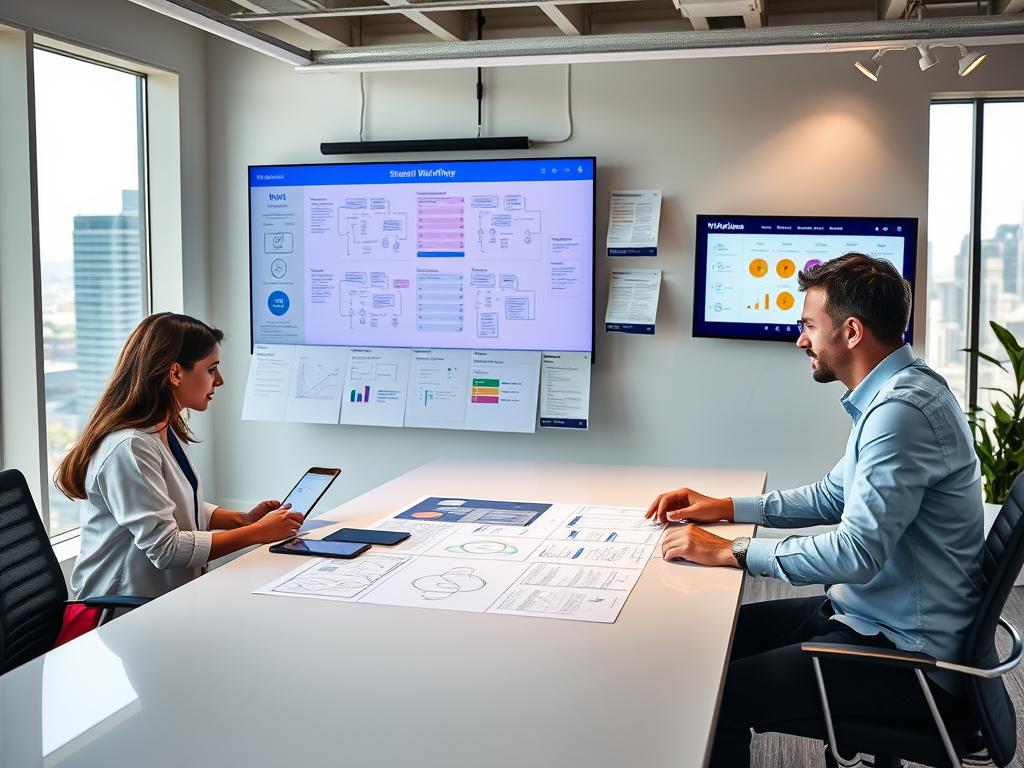
Making a team’s work flow better starts with simple steps that we do over and over. Teams that work on making their workflows smooth cut down on waiting times. They make more room for important tasks. Clear steps help find where work gets stuck, make workflow better, and build a culture that always aims to improve.
Identifying Bottlenecks
Start by mapping out the process to spot each handoff and delay. Mapping out the value stream shows steps that don’t add value and slow things down. Gather data on how long tasks take and look at queue lengths to see where work backs up.
Watching what happens on the ground and talking to stakeholders adds important insight. Analyze how long tasks take to finish and how big backlogs are to check what you see. Using both numbers and insights helps precisely spot bottlenecks.
Lean Methodology
Lean methodology comes from the Toyota Production System. It works for teams looking to cut waste, make workflow smoother, and deliver value. It encourages teams to simplify processes and focus on what customers really need.
Tools like 5S help organize spaces, Kanban controls workflow visually, and Kaizen is for regular small enhancements. Using these tools makes routines standard and reduces hiccups in making workflows better.
Continuous Improvement
Continuous improvement is all about quick feedback. Teams ought to have weekly reviews and monthly look-backs to test new ideas. Small tests and comparing methods uncover what works on a larger scale.
Writing down how things should be done keeps advancements from slipping. Keep an eye on metrics like lead time, work speed, mistakes, and how happy employees are to see if new changes are working. Letting staff suggest improvements turns small successes into big progress.
Results often include quicker approvals with digital signs, shorter meetings with clear agendas, and saving time on reports that are made automatic. These successes show how spotting and fixing bottlenecks with lean methods leads to ongoing improvement and better workflows.
The Role of Delegation
Delegation allows leaders to focus on big-picture strategies. It also builds team member skills and makes projects finish faster. By delegating well, everyone learns to work smarter and keeps a good work-life balance.
Delegation should be seen as a key step by leaders. It needs clear expectations, shared goals, and the right tools. This way, delegation helps everyone do more without feeling overwhelmed.
Benefits of Delegation
It makes room for strategic thinking and important decisions. Work gets done faster when shared among skilled team members. Plus, it helps with career growth and lessens the need for close oversight.
Good delegation leads to happier teams and smoother work processes. This results in quicker training times, reliable reports, and better focus on clients.
Effective Delegation Strategies
First, explain what needs to be done and what success looks like. Then, choose someone whose skills and career goals match the task. Make sure to set up deadlines and monitoring points to keep track.
Give them what they need to get the job done. Use tools like Asana or Trello to manage tasks. End with helpful feedback to encourage good work habits.
| Step | Action | Tool or Example |
|---|---|---|
| 1. Define | Describe task, outcome, and success criteria | Written brief in Google Docs |
| 2. Match | Select person based on skill and growth plan | Team skill matrix in Notion |
| 3. Assign | Set deadlines, checkpoints, and authority level | Asana or Trello task with due dates |
| 4. Support | Provide resources, templates, and access | Shared folders, SOPs, checklists |
| 5. Review | Give feedback and adjust responsibilities | One-on-one review meetings |
Overcoming Delegation Challenges
Some leaders fear losing control. Starting with small, simple tasks can help. This builds trust and reduces worry.
If you’re unsure about team abilities, offer training and clear instructions. Checklists and process guides also help limit mistakes and make time for mentoring.
If training time is short, hand off tasks gradually. Apply a “delegate, observe, correct” approach. A supportive culture and clear roles help avoid task overload and success in delegating.
Examples include passing client welcome tasks to a new specialist, giving report duties to an analyst, or calendar planning to a virtual assistant. This approach lets top workers focus on key tasks while growing the team’s abilities and balancing work and life.
Creating a Productive Work Environment
A thoughtfully arranged workspace boosts focus and task completion. Small changes can lead to big improvements for teams or individuals. These steps help reduce distractions, make work areas comfy, and keep spaces organized for better outcomes.
Minimizing Distractions
Switch off alerts that aren’t needed and set specific times for emails and calls to keep focus sharp. Block distracting websites with tools like Freedom or StayFocusd during important work times. Mark your calendar with “focus” time and set up a sign for others to know you shouldn’t be disturbed.
Make rules for how fast you should answer messages. Have quick, planned meetings to avoid unexpected problems. Use quiet rooms or noise-cancelling headphones to block out unwanted sound.
Ergonomic Considerations
Ergonomics help prevent tiredness and injury. An adjustable chair that fits your back and a desk at the right height are key. The monitor should be set so you can look straight at it, keeping your neck comfortable.
Keep your keyboard and mouse close to avoid strain. Use a desk that lets you stand or sit, changing position throughout the day. Studies show that comfy setups lead to more work done. So, investing in a good chair and desk is worthwhile.
Organizing Workspace
Get rid of clutter on your desk. Keep things you use a lot within easy reach. Organize wires and use labels to keep things tidy. A good filing system saves time and makes it easier to switch between tasks.
In digital areas, keep files well-organized. Use rules for your email and store files in places like Google Drive or SharePoint. Use clear names for your files and keep them up-to-date to save time looking for them.
Check your workspace regularly and take five minutes at the end of the day to tidy up. This helps keep your work area clear and makes starting work the next day smoother.
| Focus Area | Practical Steps | Tools / Examples |
|---|---|---|
| Minimizing Distractions | Turn off non-essential alerts, block sites, set focus calendar blocks, agree on interruption signals | Freedom, StayFocusd, calendar Do Not Disturb |
| Ergonomic Considerations | Adjust chair height, monitor at eye level, correct keyboard placement, alternate sit-stand | Herman Miller chairs, sit-stand desks, OSHA ergonomics guidance |
| Organizing Workspace | Declutter, label storage, cable management, consistent digital filing and version control | Google Drive, Microsoft SharePoint, Inbox rules |
| Environmental Factors | Optimize lighting, use noise control, personalize with purposeful items, schedule audits | Noise-cancelling headphones, LED task lighting, weekly workspace checks |
Building Strong Relationships for Success
Strong professional connections can push your career forward and make teams work better. To build meaningful relationships, use good networking, find mentors, and choose the right tools for working together. Regular short talks and clear goals help keep these relationships strong and beneficial.
Start networking by reaching out to the right people. Go to business events, join groups like the American Management Association, and send personal messages on LinkedIn. Have deep conversations rather than many shallow ones. Use Airtable or HubSpot’s free plan to keep track of your contacts.
Having a mentor can help you learn faster and see your career path more clearly. Look for mentors at work, in professional groups, or on MentorCruise. Set clear objectives, meet often, prepare agendas for your meetings, and write down what you plan to do next. This keeps things moving forward.
Working together is easier with the right tools. Use Google Workspace or Microsoft 365 for documents, Slack or Microsoft Teams for talks, Miro for planning, and GitHub or GitLab for coding. Decide on how to name files, the rules for version control, and how to comment to avoid mix-ups and make work flow better.
Keeping up relationships is just as important as starting them. Have regular catch-ups, offer help by sharing resources or making introductions, and write down common goals. This saves time and builds trust.
| Focus Area | Practical Steps | Recommended Tools |
|---|---|---|
| Networking Strategies | Attend events, personalized LinkedIn outreach, informational interviews, track contacts | LinkedIn, Airtable, HubSpot (free) |
| Mentorship Importance | Find mentors, set goals, meet regularly, prepare agendas, follow action items | MentorCruise, company mentorship programs, Google Calendar |
| Collaboration Tools | Use synchronous and async tools, set naming and version norms, enforce commenting etiquette | Google Workspace, Microsoft 365, Slack, Microsoft Teams, Miro, GitHub, GitLab |
| Relationship Maintenance | Periodic check-ins, give value first, document shared goals, track progress | Airtable, Trello, shared Google Sheets |
Embracing Adaptability and Flexibility
Teams and persons who are adaptable and flexible can move quickly when things change. This guide gives tips on how to be more agile. It talks about dealing with change and learning from mistakes while keeping good work habits.
The Benefits of an Agile Mindset
Having an agile mindset means planning in small steps, getting quick feedback, and focusing on what’s valuable. People who think this way can quickly adjust to new priorities and work better with their teams.
Methods like Scrum and Kanban can help you manage tasks, limit ongoing work, and get feedback fast. These practices offer benefits like being more resilient and getting things done faster.
Coping with Change
There are ways to make dealing with surprises less stressful. Using a flexible schedule and having backup plans can help you switch tasks without getting lost.
Doing things like practicing mindfulness and exercising regularly helps keep your focus. Training team members in different roles can avoid problems when someone is gone.
Seeing change as a chance and talking openly can make it easier for everyone involved while helping you deal with changes.
Learning from Setbacks
Analyzing what went wrong after a failure can help you grow. Teams should write down what happened, find the main reasons, and plan what to do next.
Changing how you do things based on what you’ve learned stops the same mistakes. Writing down lessons and getting advice from others builds resilience and encourages continuous learning.
For example: if a client changes what they want, reorder your task list, adapt your plans, and tell everyone about new timelines. If a tool stops working, use a backup way of doing things, let users know, and quickly review what happened to improve for next time.
| Scenario | Immediate Action | Follow-up |
|---|---|---|
| Client changes scope | Reprioritize backlog; update sprint goals | Document decision; adjust SOPs and timelines |
| Tool outage | Activate contingency workflow; inform stakeholders | Conduct blameless post-mortem; train staff on backup |
| Team member unavailable | Redistribute tasks; use cross-trained resources | Schedule cross-training; revise role coverage plan |
| Missed deadline | Communicate impact; reset priorities | Run retrospective; implement corrective actions |
Continuous Learning and Skill Development
Continuous learning keeps careers thriving as workplaces evolve quickly. Workers who focus on skill development keep ahead by keeping up with new tools and methods. A solid plan helps integrate learning into a busy life, making short study sessions build lasting skills.
Online courses and certifications provide flexible ways to learn new skills. Sites like Coursera, edX, LinkedIn Learning, and Udemy offer courses ranging from basic to advanced topics. Credentials from the Project Management Institute or Google Career Certificates give formal recognition to your abilities.
Short courses and micro-credentials are great for quick learning. Setting aside 30 to 90 minutes regularly helps learners finish modules and earn certificates without adding stress to their day.
Workshops and conferences are great for hands-on learning and meeting people. Attendees at in-person events can try out tools and share tips. Virtual conferences are easy to join from anywhere and often let you watch presentations later.
To make the most of these events, go in with clear goals. Choose sessions wisely, collect contacts, and follow up quickly. Big events like SXSW and SHRM are full of new ideas and best practices across many industries.
Mentoring and coaching speed up learning by connecting you with experienced guides. Coaching supports your leadership growth clearly. Joining peer-learning groups or company programs keeps you going and accountable.
Pairing mentorship with hands-on practice makes learning stick. Mentors can suggest tasks that apply new skills to real projects, helping you see results faster.
Building a good learning routine involves reviewing material, applying what you learn, and using new skills at work. Setting learning goals every quarter keeps you moving forward. Track your progress with simple measures like hours spent learning or certifications earned.
The table below compares different learning options, showing their benefits, time needed, and best uses depending on your goals.
| Option | Typical Time Commitment | Primary Benefit | Best Use |
|---|---|---|---|
| Online courses and certifications | 4–12 weeks (modular) | Structured curriculum with credential | Skill development for role transitions and tech updates |
| Workshops and conferences | 1–5 days | Hands-on practice and networking | Rapid exposure to new ideas and contacts |
| Mentorship and coaching | Ongoing; weekly or monthly | Personalized feedback and accountability | Leadership growth and tailored skill acceleration |
| Micro-credentials | Hours to weeks | Targeted, stackable outcomes | Filling specific gaps or building portfolios |
Measuring Success and Adjusting Strategies
Measuring success means using clear, easy-to-track signs and checking them often. Teams and individuals need to look at numbers and feedback. This helps them see if they are really being efficient.
Key Performance Indicators to Track
Useful KPIs for productivity are tasks done each week and how quickly tasks are finished. Also, count the hours of focused work done, interruptions, how fast you respond to customers, and if goals are met. It’s also important to check job happiness and stress to make sure your work and life are balanced.
Built-in Cadence for Reviews
It’s important to check on progress often: maybe every day, every week, and every three months. Use a simple format in these check-ins to stay on track. List what was done, problems faced, changes to make, and plans for the next week.
Tools like Notion, Google Sheets, Asana, or Jira can help keep track of everything easily and visibly.
Iterate by Adapting Techniques
Improving means looking at how things are going and trying small new things. For example, change how often you plan your time or use new tools. See what effect these changes have and do more of what works well.
Talk to others about the changes to make sure they are helping and focus on what really brings better results. Keep checking on progress, celebrate when you reach goals, and be ready to change course if needed. This way, improving becomes a regular activity that helps keep everything balanced and moving forward.